Where people who search for an “alternative” are stuck
People who search “AnJian alternative” or “which AnJian is better” have usually hit the ceiling: they want to control iOS and cannot, the script has to run in bulk and manage many phones and it cannot hold, or talk of root, compatibility, and stalled updates has talked them out of it. Switching to a cheaper tool leaves those blocks in place. Start by naming which one you are stuck on.
AnJian is quick to learn. Visual recording can produce a script that runs in a few minutes. Tutorials and ready-made cases are easy to find online, and most problems can be searched. Alarms, check-ins, auto-tap, and simple collection, the one-off personal jobs, are the least work on AnJian.
The limits are specific. What you record is mostly coordinates and fixed timing, and it breaks when the UI changes. Data handling, branches, and retry-on-error are awkward to write. iOS automation has a high bar of its own, and AnJian’s capability and experience on iOS sit a step behind a dedicated solution. Cluster control, cloud control, and enterprise packaging and distribution are not its main ground. When the fleet grows from one phone to dozens, it tops out quickly. Stability and depth of some advanced features still depend on root, and flashing a device carries stability and compliance risk.
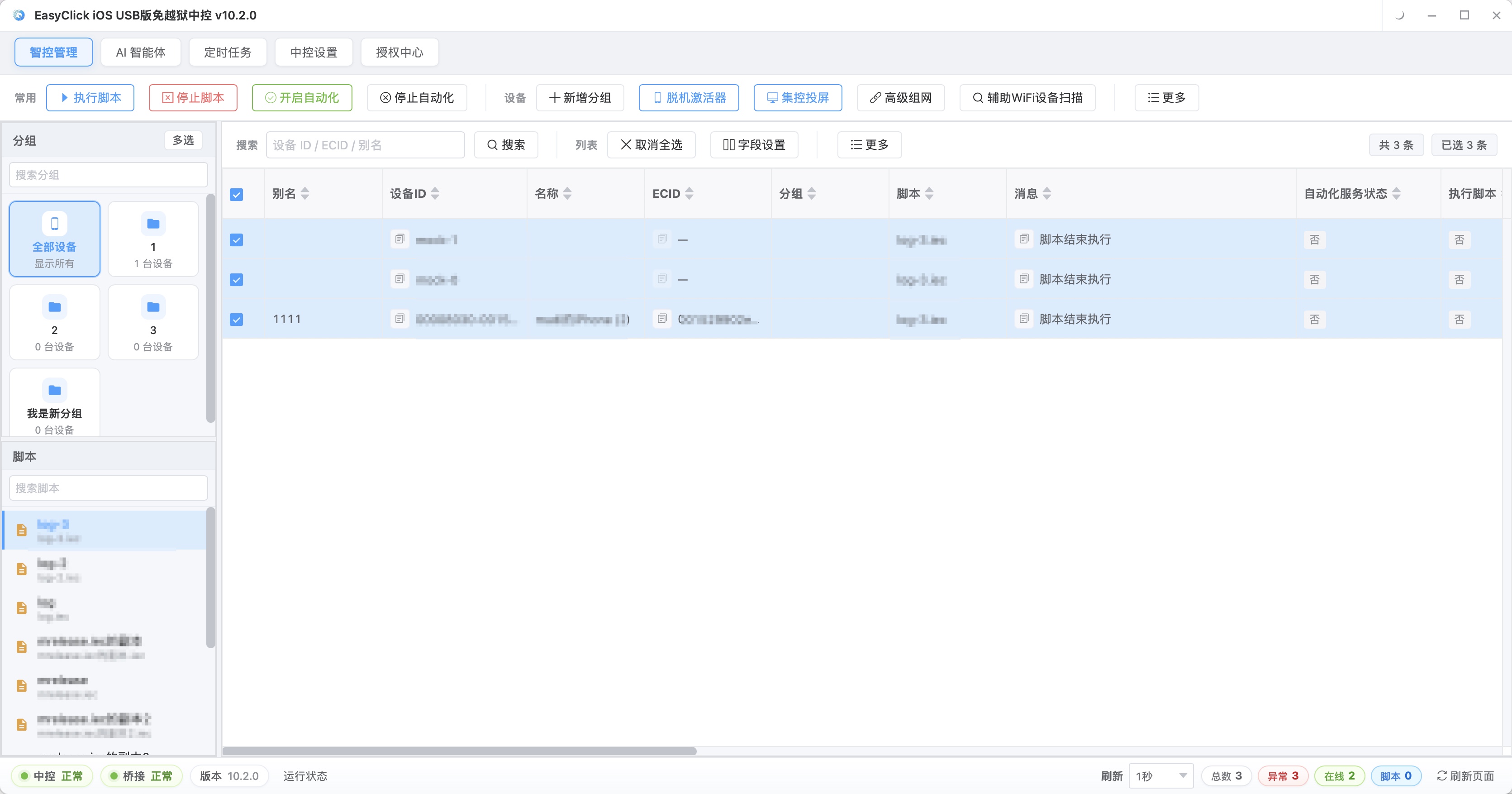
It fits personal, single-device, lighter jobs. Once the scale goes up, the work crosses systems, or it has to be delivered as an engineering project, that is outside what it is built for.
Where the gap is, and how to move if you really switch
| Capability | AnJian | EasyClick |
|---|---|---|
| How you program | Mostly visual recording | JavaScript + visual IDE |
| Android without root | Some features yes, advanced features depend on root | Built around no root |
| iOS without jailbreak | Weak | Supported |
| HarmonyOS | Not supported | HarmonyOS Next |
| Batch cluster control / console | Basic | Supported |
| Cloud control | Not supported | Supported |
| Enterprise packaging and distribution | Limited | Supported |
| Maintenance | Actively maintained | Actively maintained |
The gaps in that table come from the platform’s stack and the scale of investment. Adding one feature does not close them. Batch cluster control looks like “run a few more scripts.” Under it is device management, task scheduling, failure retry, and collecting results. A single-device Android script can be written on either side. Once you have to manage iOS, push in bulk, or do enterprise distribution, the options get thin. The more devices you have, and the more systems are mixed in, the more that extra capacity on a professional platform gets used.
AnJian is still enough in these cases: a one-off, single-device, simple personal script, such as check-in, ticket grabbing, or auto-tap; you only want to try automation and do not plan to maintain it; the devices are Android only, and you are not doing batch management.
The cases below are when other platforms belong on the short list. If you need to control iOS, look at no-jailbreak options directly. AnJian is a strain there. Inside no-jailbreak, USB HID uses the console EC iOS USB 10.7.0 (2026-09-08). It does not use Bluetooth and it does not use an OTG board. The phone needs iOS 17 or later, and it cannot be mixed with “Start Automation” on the same phone. If you need to control HarmonyOS, confirm the platform has a HarmonyOS adaptation. Most older tools do not. If you need batch cluster control or cloud control, you need device management, task dispatch, and a way to keep it stable. Enterprise distribution is a whole engineering set: packaging, signing, and remote deployment. If the script has to run for a long time and be handed to a customer, you need stability, maintainability, and packaging and distribution. If the requirement includes any one of iOS, HarmonyOS, batch, or distribution, a professional platform belongs on the short list.
Docs and technical support matter too. For personal use, the community is often enough. For company use, put “does the vendor have a way to respond” on the evaluation sheet, in the same column as features.
If you really move, existing scripts go in three steps. Inventory before you touch anything: split them into four quadrants by business value times difficulty of reuse. Move high-value, low-difficulty scripts first. Drop low-value, high-difficulty ones and rewrite. While rewriting, change how you locate targets. Coordinates and fixed timing in a recorded script do not carry over. The business flow can stay, rewritten against the new platform’s APIs. Change coordinate targeting to control targeting, and fixed waits to conditional waits. After the move it is steadier. Before the cutover, run old and new in parallel: get the core flow working, verify on one device, verify in batch, run them side by side for a while, then switch.
Team learning is often left out of the estimate. The style and the APIs both change, so people have to learn again. When you estimate, count the time to learn and the time spent on mistakes, along with the time to move the code. Replacing recorded scripts with something you can maintain is what this move can leave you with.
A few judgments go wrong easily. Free tools are cheap to learn, and batch, cross-system, and distribution still take a large investment. Pick by the requirement, and do not pick by price alone. No-root and no-jailbreak are already ordinary capabilities on mainstream professional platforms. Flashing and jailbreaking bring stability and compliance risk. More features cost learning time and complexity. A review can tell you which options exist. It cannot tell you whether your devices will run, or whether your scale will hold. Run a real script on a real phone, and simulate one batch dispatch. Half an hour of that is more accurate than ten reviews. Popular means a lot of people use it. The choice still depends on device type, batch scale, and what the team can do.
Related reading:
- A side-by-side look at four platforms → How do you choose a phone automation script platform?
- Android no-root automation in practice → Android no-root automation guide
- iOS cluster control without jailbreak → Apple no-jailbreak cluster control guide
- Product capabilities and docs → Product overview | Developer docs
About EasyClick: A mobile automation script development platform covering three phone ecosystems: Android without root, iOS without jailbreak, and HarmonyOS. It also offers Apple script writing, Apple cluster control, Android cluster control, remote cloud control, and AI phone cluster control. → Explore all products
Ready to build it for real?
Every approach in this article can be built on the EasyClick phone automation platform — full documentation, developer tools and cluster/cloud-control products, free to try.