Someone has a stack of Android phones on the left of the desk, a row of iPhones on the right, and USB hubs piled in the middle, and asks whether one system can manage all of them, without opening two programs. The Android and iPhone channels are different. The console can sit together. The way scripts tap cannot.
The two platforms’ channels, and how far they can be unified
Android uses ADB, without root. Plug in a data cable, or turn on ADB WiFi or LAN WiFi, and you can tap, swipe, and type, and also read the control tree: the button’s name, and where it sits on the screen. One computer can install packages in bulk, run scripts, and collect results. An iPhone has no ADB, and it cannot run a resident background service. Actions have to be sent in from outside: install a signed proxy, or have the phone treat the computer as an external keyboard and mouse. In that second path, Bluetooth HID uses an ESP32C3, OTG HID uses an ESP32S3, and USB HID uses a data cable. All three need iOS 17 or later. USB HID starts with EC iOS USB 10.7.0 (2026-09-08), adds no extra board, and is mutually exclusive with “Start Automation” in the console. Do not open both links on the same phone. When the system is below iOS 17 and you still need the proxy path, iOS 15 and later can use the offline main program v7.2.0 and later as the USB automation program. The download page has an already signed IPA. Install it and you can test first.
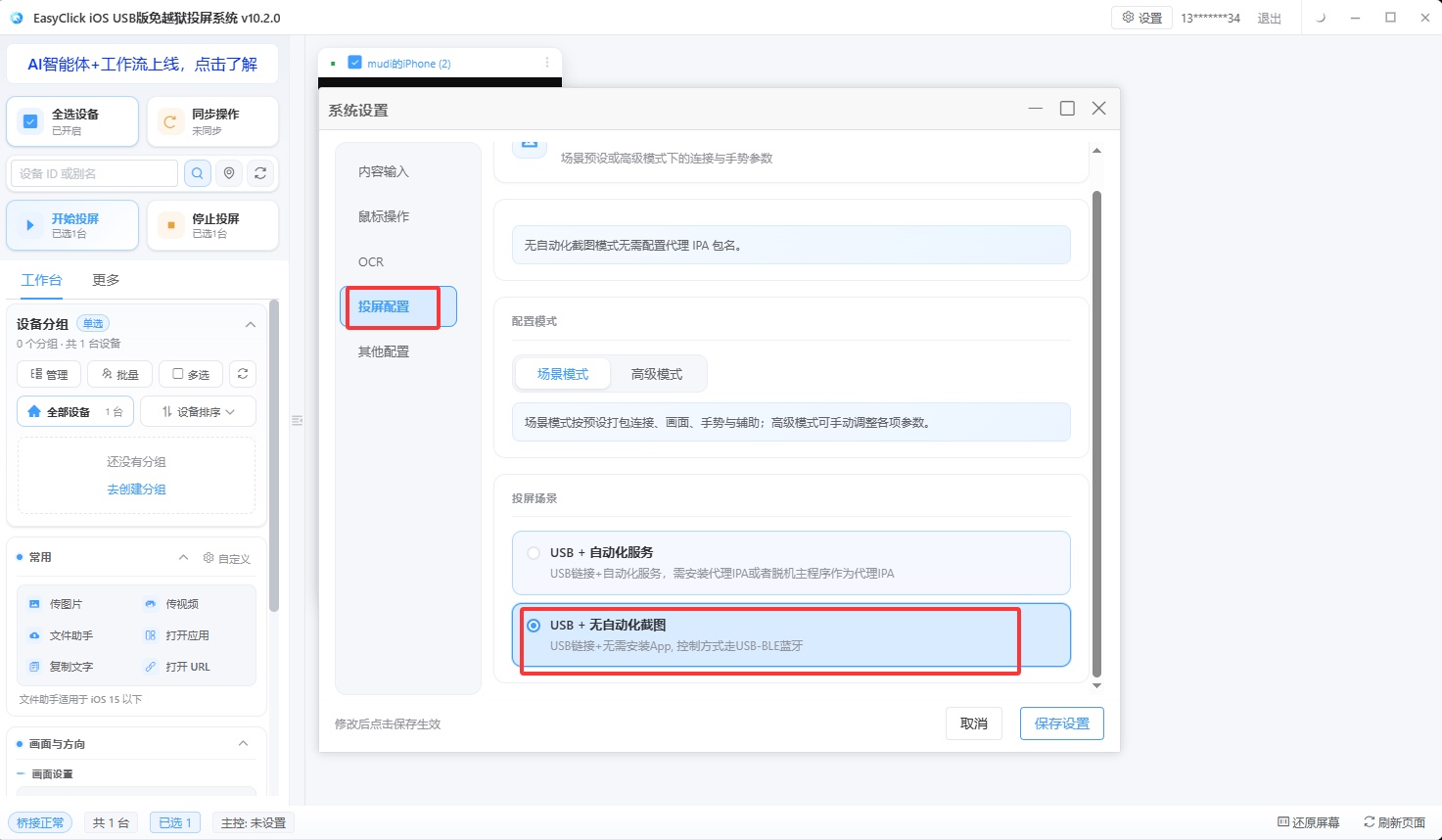
The picture is the connection-method screen in the EasyClick console. The path the iPhone side takes is chosen here. Android can read the control tree, so a script can say “find the button named Publish and tap it,” and an app redesign that moves the button does not break it. An iPhone cannot read those things. It can only screenshot and find an image, recognize text with OCR, or hard-code coordinates. How scripts are split later starts from here.
| Android | iPhone | |
|---|---|---|
| Root / jailbreak | No root | No jailbreak |
| Main channel | ADB: USB, ADB WiFi, LAN WiFi | Signed proxy, Bluetooth HID, OTG HID, USB HID |
| System bar | Most models | The three HID routes need iOS 17 or later |
| Extra hardware | None | USB HID needs none; Bluetooth and OTG need an ESP32 board |
| How you locate a target | Control tree + image and color | Image and color, OCR, coordinates |
| Script action layer | Written separately | Written separately |
One console can put the device list, groups, task dispatch, execution records, logs, and scheduled tasks in one place. Select a group and it runs in bulk, without switching windows to see both sides’ results. The script action layer cannot be merged. Open the app, tap publish, fill in the copy: Android uses controls, iPhone uses image and color or coordinates, and the same file cannot run on both. Business flow, loops, retries, and data handling can be shared. Taps and targeting are written once per platform.
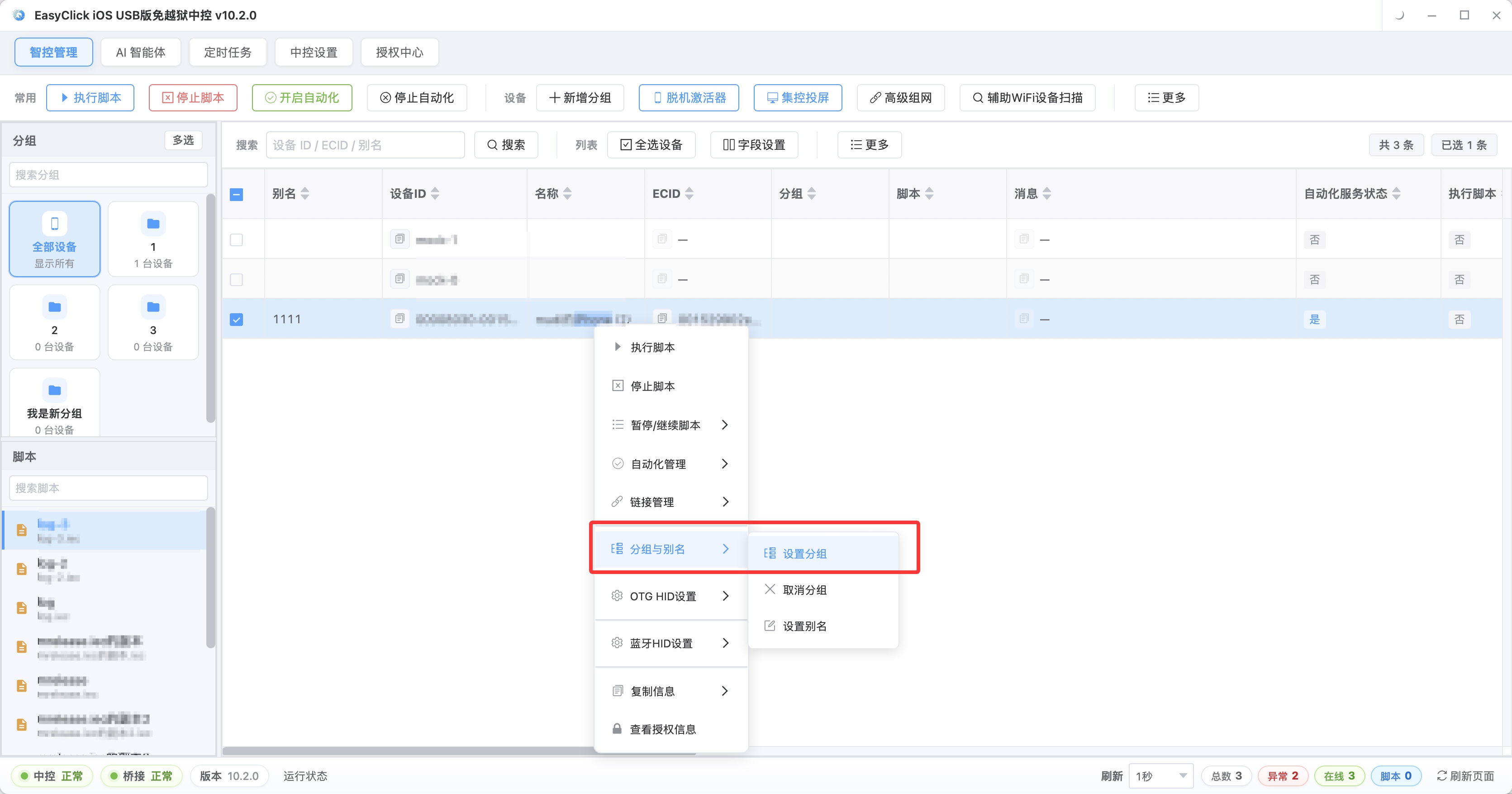
The picture is device grouping in the console. The left side splits by platform and business line. The right side is each device’s online status.
Three traps in mixed management, and when not to force them together
Mixed groups are the most common. An Android script is sent to the iPhone group, or the other way around. The log only has a failure, with no detail, and it takes a long look to see that the device was wrong. Put the platform in the name, for example android-a-01 and ios-a-01.
The shape of the parameter file can be shared. The copy library, the per-device count, and the retry count can match on both sides. Build the asset folders and the dispatch tables separately. The two sides run at different paces, and one table will leave one side’s interval wrong.
Once there are many devices, failure is normal. Look first at where the failures land: only in the iPhone group means check the iOS connection and script; only on one device means check that device. A platform problem usually shows up across a group. A single-device problem is usually one case.
Two situations are worse if you force them into one group. Three iPhones and fifty Android phones: those three following the Android schedule will feel wrong. Open a small group of their own and use a small-batch task. Different people run the two sides, Android under engineering and iPhone under operations, and the metrics differ, so changes do not line up. The pace has to be split too. Android goes through ADB, reads more, and runs faster. iPhone is external input, closer to a hand moving. One frequency applied to both sides is usually a poor fit for one of them.
One Android command can move dozens of phones together, and a batch publish can finish in about ten minutes. Each iPhone still has to be tapped, plus screenshot image search, so the same batch is slower. Run the Android group’s publish in the morning, and send replies and likes to the iPhone group around noon. If both sides are at full load at once, the computer’s resources are squeezed together and the logs mix in one place. You can also give them different time windows, Android once an hour and iPhone once every two hours, and tune the interval to what the accounts will accept.
How one computer connects both sides
Match the machines you actually have:
| What you have | Suggested path |
|---|---|
| Android only, and you are starting “PC phone cluster control” | Any of the three ADB channels. USB is the steadiest |
| iPhone only, iOS 17 or later | USB HID over a data cable, no signing, no dev board |
| iPhone only, on an older system | Signed proxy or the offline main program. Confirm the version requirement first |
| Both Android and iPhone, devices on the desk | One EasyClick console, two groups by platform, a script written for each |
| Both platforms, devices spread across several sites | The local console for the ones on the desk, and the cloud-control layer for the ones farther away |
| More than thirty devices | Count power and USB ports against the fleet size first, then decide how fine the groups should be |
Before you connect them, walk each machine’s daily flow by hand and note the page at every step. A control you cannot find, a load that is three seconds slow, a dialog that appears only under a certain condition: those show up most clearly on a manual walk-through. Skip that step, and you can only locate them by trial runs.
When devices are not on the desk and you need cloud control, the docs match cloud control 3.11.0 and later, and EC client 9.4.0 and later. The demo site is http://ecloud.devicefarm.cn/ . The username and password are both test123. The demo site cannot create, delete, update, or query.
A desk with twelve Android phones on one side and eight iPhones on the other can use one EasyClick console and two groups, with the iPhones in their own group and their own script. When something fails, look first at which group the failures landed in.
About EasyClick: A mobile automation script development platform covering three phone ecosystems: Android without root, iOS without jailbreak, and HarmonyOS. It also offers Apple script writing, Apple cluster control, Android cluster control, remote cloud control, and AI phone cluster control. → Explore all products
Ready to build it for real?
Every approach in this article can be built on the EasyClick phone automation platform — full documentation, developer tools and cluster/cloud-control products, free to try.