Apple cluster control uses one computer to manage and batch-operate many iPhones, turning repeated work from tapping each phone by hand into one dispatch.
What one cable replaces
Writing iOS automation scripts with USB HID injects touches and key presses at the protocol layer. The device side recognizes it as an external input device. What matters more when you budget is which costs this path removes that you used to have to pay.
USB HID can install nothing on the device side. The computer presents the iPhone, over a data cable, as an external keyboard and mouse, and touches and key presses go in through that channel. Nothing on the device is running an automation service, so there is nothing to sign. It uses a data cable. It does not need a Bluetooth board, and it does not need an OTG board. The matching console is EC iOS USB 10.7.0 (2026-09-08). The phone needs iOS 17 or later. It is mutually exclusive with “Start Automation.” Do not mix them on the same phone. No signing and no extra hardware together show up on the books when you do batch automation.
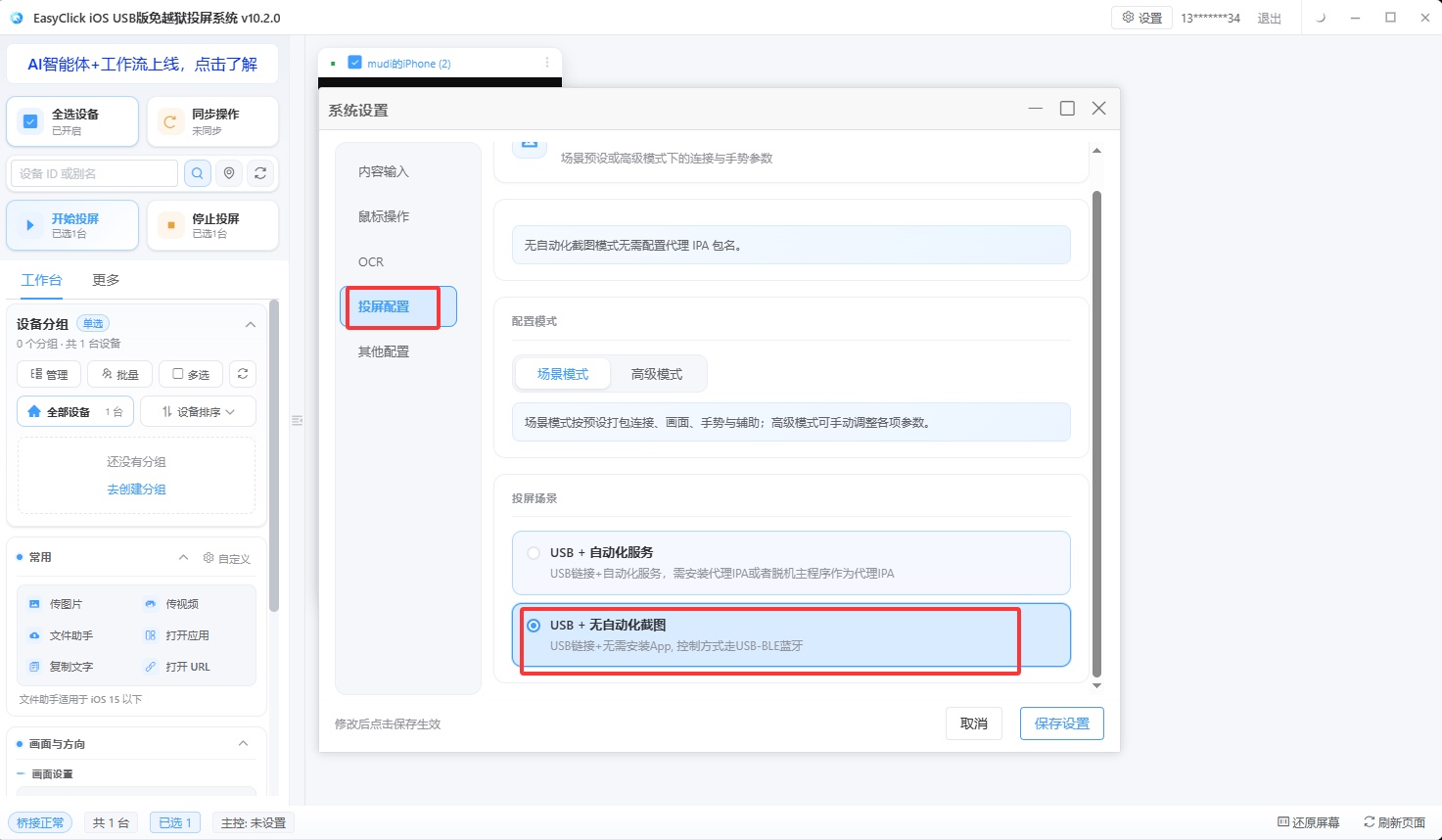
What this one cable saves, in concrete items, is the following.
Signing. Proxy mode needs a signed app on the iPhone to run the automation service. You buy an enterprise signature, use a free signature with a personal Apple ID, or use a no-sign route such as TrollStore. The money for an enterprise signature is the visible part. A signature has an expiry, and it has to be re-signed when it ends. An enterprise signature can also be revoked, and a batch of devices stops working at once. Once there are many devices, someone has to watch signature management itself. USB HID removes that step: nothing to buy, no expiry to track, no revocation to handle. Many small teams look at this item first.
Dev boards. Bluetooth HID and OTG HID both require an ESP32 board. Bluetooth also needs network setup, device binding, and a Shortcut for uploading screenshots. USB HID is a data cable. When devices sit next to the computer and there are enough USB ports, there is no extra hardware. When there are many devices, spread across different stations, cable length and USB port count become the limit. At that stage, cabling and station layout cost more than the boards themselves. The test is whether the devices sit next to the computer.
Labor. Signatures need a person to manage them, boards need a person to set them up, and disconnects need a person to investigate. That occupies people. The larger the fleet, the more maintenance work there is. USB HID has fewer links in the connection, and fewer places to fail. For a team that is short on people, occupying fewer people is often more visible than saving one hardware bill.
What the three setups add up to, and when it is not enough
One person managing three to five devices and posting every day can go straight to USB HID: no signature to buy, no board to buy, plug in the cable and run. There is no need to buy a year of enterprise signing for a few devices. A machine room with twenty or thirty phones in fixed positions is where most iPhone cluster-control teams land. Devices sit next to the computer, USB port count and power are planned, and USB HID still holds. What you save then is the signing fee and the board cost per device. Twenty or thirty devices add up. If devices are spread across rooms or cities, a data cable cannot reach, and USB HID is a poor fit. That layout can switch to Bluetooth HID, or move up to cloud control. The USB HID path itself does not use Bluetooth, and it does not use OTG.
There is a capability boundary too. USB HID cannot use a node selector. Targets come from image and color, OCR, and object detection. A fixed flow on a stable interface is unaffected. A script that locates by control attributes has to be rewritten as an image approach, and the work has to be re-estimated. It cannot provide system-level command execution. That goes back to proxy mode. The phone must be iOS 17 or later, and the console must be EC iOS USB 10.7.0 (2026-09-08) or later. Below iOS 17, the options are the proxy or the offline main program. If any one of these does not match, this route cannot take the current job. Confirm the capability is enough, then compare cost.
About EasyClick: A mobile automation script development platform covering three phone ecosystems: Android without root, iOS without jailbreak, and HarmonyOS. It also offers Apple script writing, Apple cluster control, Android cluster control, remote cloud control, and AI phone cluster control. → Explore all products
Ready to build it for real?
Every approach in this article can be built on the EasyClick phone automation platform — full documentation, developer tools and cluster/cloud-control products, free to try.