An Apple script turns repeated manual work on an iPhone into a program. Cluster control adds centralized management of many devices on top of that. When you pick a route, first look at the scale of the thing you repeat every day.
Start from what you do every day, and work the route backward from the job
The material already covers proxy, USB HID, and Bluetooth HID, plus each one’s system requirements, and you still cannot decide. That is usually because the daily work has not been matched to a scale yet. One person posting content to three accounts every day, and a device room with dozens of phones running the same batch of tasks, are different routes.
One person, a few accounts, posting content and replying to messages every day. An hour in the morning, logging in one by one, posting copy written yesterday, and answering a few comments. The account count is in the single digits, the devices are at hand, and what you want is speed. Rack cabling can wait.
One device room, dozens of phones running the same batch of tasks. The same batch of scripts goes out on a schedule every day, and you look at each phone’s result when it finishes. Where the cables run, which phone dropped, and how a failure retries all need a place to land. Once the accounts multiply, a small fault on one phone becomes a problem for the whole batch.
An occasional check of an idea. Try it on one machine first. Do not buy a pile of hardware or buy a signing certificate just to try once. If the trial does not land, that machine has still walked the flow through.
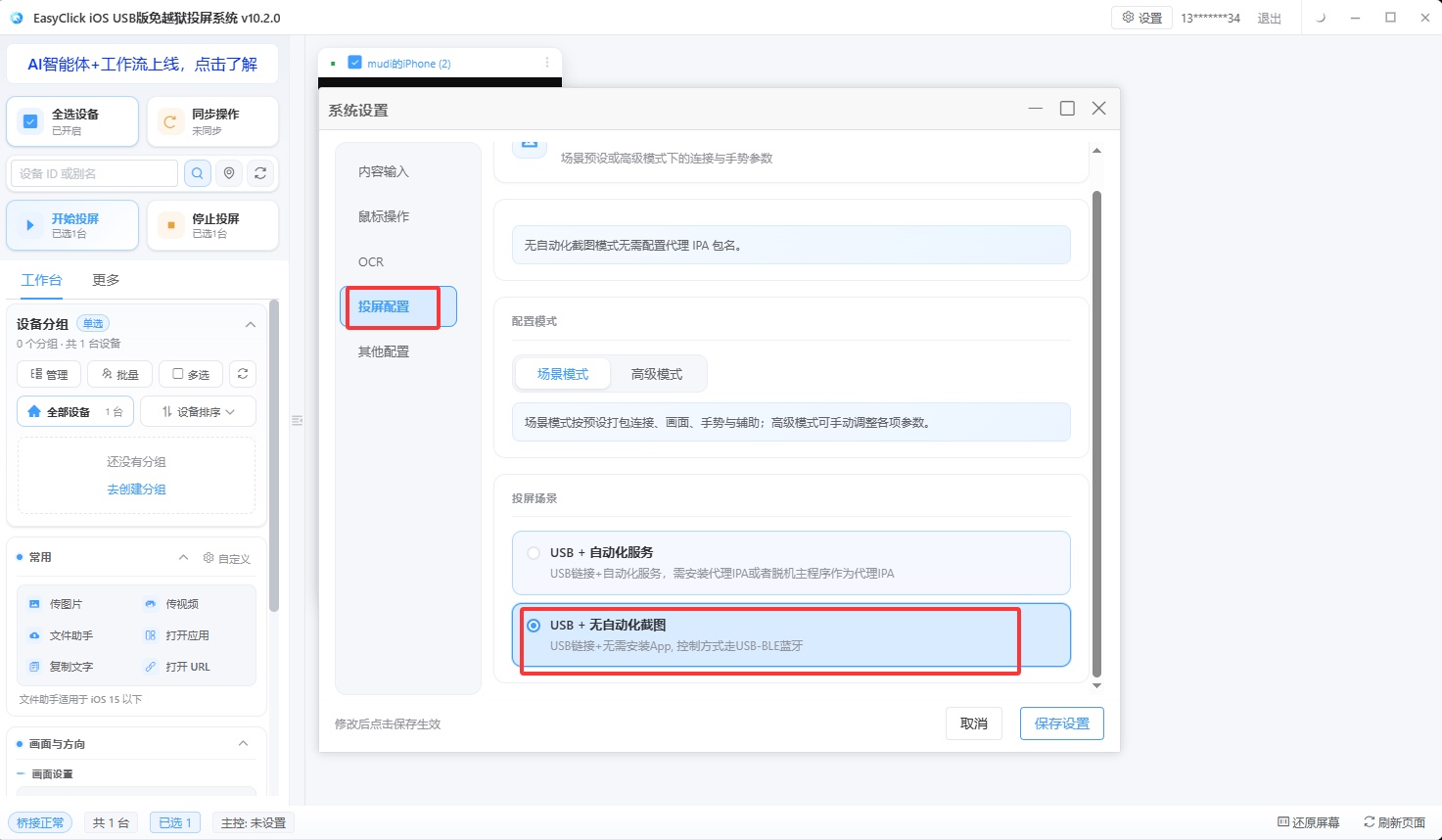
Scenario one uses USB HID direct. Support starts with EC iOS USB 10.7.0 (2026-09-08). One data cable, no IPA signing, and no development board. The phone needs iOS 17 or above. It is mutually exclusive with “start automation” in the central control. Do not turn both on for the same phone. Scenario two depends on risk-control pressure. If the pressure is light, use proxy. The features are complete, and it can locate controls. If the pressure is heavy, switch to Bluetooth or OTG HID. What gets injected is external input, and the device side sees an external keyboard and mouse. Scenario three also uses USB HID, so you do not buy signing and a board first. When the system is below iOS 17, iOS 15 and above can use offline main program v7.2.0 and above as the USB automation program. The download page has an IPA that is already signed, for testing.
After the route matches, put the barrier and cost of the three routes in one table.
| Proxy mode | USB HID | Bluetooth HID | |
|---|---|---|---|
| System requirement | iOS 13+ | iOS 17+ | iOS 17+ |
| Signing required | Yes | No | No |
| Hardware to buy | No | No | ESP32 development board |
| Control locating | Supported | Not supported | Not supported |
| Risk-control behavior | Average | Lower | Lowest |
| Time to get started | Medium | Fast | Slow (network setup and binding) |
Proxy mode installs a signed app on the iPhone to run the automation service. TrollStore supports iOS 15 through 16.6.1. A restart drops the signature, and you have to sign again. A personal developer account is 688 yuan a year, can bind 100 devices, and supports iOS 12 and above. That is an Apple developer fee, and it is separate from an EasyClick software license. Offline 7.0.0 and above can install only the main program and run as a single app: in settings, set automation to single app. Dual app still needs the proxy IPA signed as well. The service runs in another process, and if it drops, self-activation can bring it back. HID needs no signing, and it has no control locating. Finding a target relies on image color and OCR. A flow with a stable interface and fixed steps is enough. A flow that has to find a button by control properties is beyond HID.
When to upgrade the route, and one reminder that applies to all of them
The route will change later. When the devices multiply and the cables get hard to manage, switch from USB HID to Bluetooth. Data-cable length and USB port count both have a ceiling. Once devices spread across different racks, the cabling itself becomes a project. When risk control tightens, switch from proxy to HID. Get the flow and the result right on proxy first, then switch to HID. When the two problems stack, it is hard to separate a wrong flow from risk control blocking it. A few machines can be watched by a person. A dozen or more need unified dispatch and collection. When people are in different places, add cloud control. The cloud control version the docs correspond to is 3.11.0 and above, and the EC client is 9.4.0 and above. On the demo site http://ecloud.devicefarm.cn/ the username and password are both test123. The demo site cannot create, delete, update, or query.
Whichever route you pick, walk that machine’s daily flow by hand first and note the page at every step. Onboarding popups, a load that is three seconds slow, and a button that appears only under a specific condition are easiest to see while you walk it by hand. Hitting them after the script is written means repeated trial runs. What a script can replace is repeated work at the application layer. Breaking out of the system sandbox, reading another app’s private data, and changing system settings are out of reach. Match the scenario and the route on one phone first, then look at system version, signing, and hardware.
About EasyClick: A mobile automation script development platform covering three phone ecosystems: Android without root, iOS without jailbreak, and HarmonyOS. It also offers Apple script writing, Apple cluster control, Android cluster control, remote cloud control, and AI phone cluster control. → Explore all products
Ready to build it for real?
Every approach in this article can be built on the EasyClick phone automation platform — full documentation, developer tools and cluster/cloud-control products, free to try.