Apple cluster control is one computer managing many iPhones: screens in one place, tasks sent by group, results collected together. It does not use jailbreak. Mainstream setups drive the devices by injecting external input.
Eighty accounts, and the catalog edited on each one
I know a cross-border seller in the Middle East market, surnamed Chen, with eighty WhatsApp Business accounts. Each account carries a catalog of twenty or thirty SKUs. The thing that eats his month is new products, ahead of shipping. When a new item arrives he opens the first account, enters Catalog, and records products one by one: name, price, currency, description, image. He finishes one account, leaves it, opens the next, and records the set again. Eighty accounts at twenty minutes each is more than twenty hours. He usually splits it across three days, and customer questions still cut in. He says the work is simple and nobody wants to do it, so the update often slips into the second week. During those days, when a customer asks about a new product, he can only send a picture by hand.
A lot of people treat WhatsApp Business as “WeChat that can hang products on it.” Two sets of features sit inside it, and each covers its own ground. Catalog covers what you sell: which products are on an account, the price, whether they are in stock, and what the image looks like. Quick Replies cover how you say it: price, shipping, minimum order, and lead time stored as one line each, picked when you reply. Chen’’s problem is Catalog. It is per account and it is not shared, so eighty accounts are eighty catalogs. Quick Replies can be reused across accounts. The two features have different upkeep rhythms, so the methods are separate too.
Run the catalog by group, and build Quick Replies apart
Catalog maintenance turns “enter one account” into a repeatable action, then runs it across devices. What wears you out with many accounts is doing the same action many times. First, prepare the assets: product name, price, description, and hero image, all in one sheet. Do not skip this. Product details scattered through chat will go wrong later. Images have a trap. WhatsApp has size and ratio requirements for product images. Use a square hero on a clean background. Images that are too tall get cropped. Crop to spec before upload, or more than half of a bulk send will need redoing. Second, run the full flow on two or three accounts and see where it sticks. Most problems show up here: the wrong image spec, the wrong currency, a description cut off because it is too long. Third, send the work by device group. Split eighty accounts into several groups, run one group at a time, and look at the result when the group finishes.
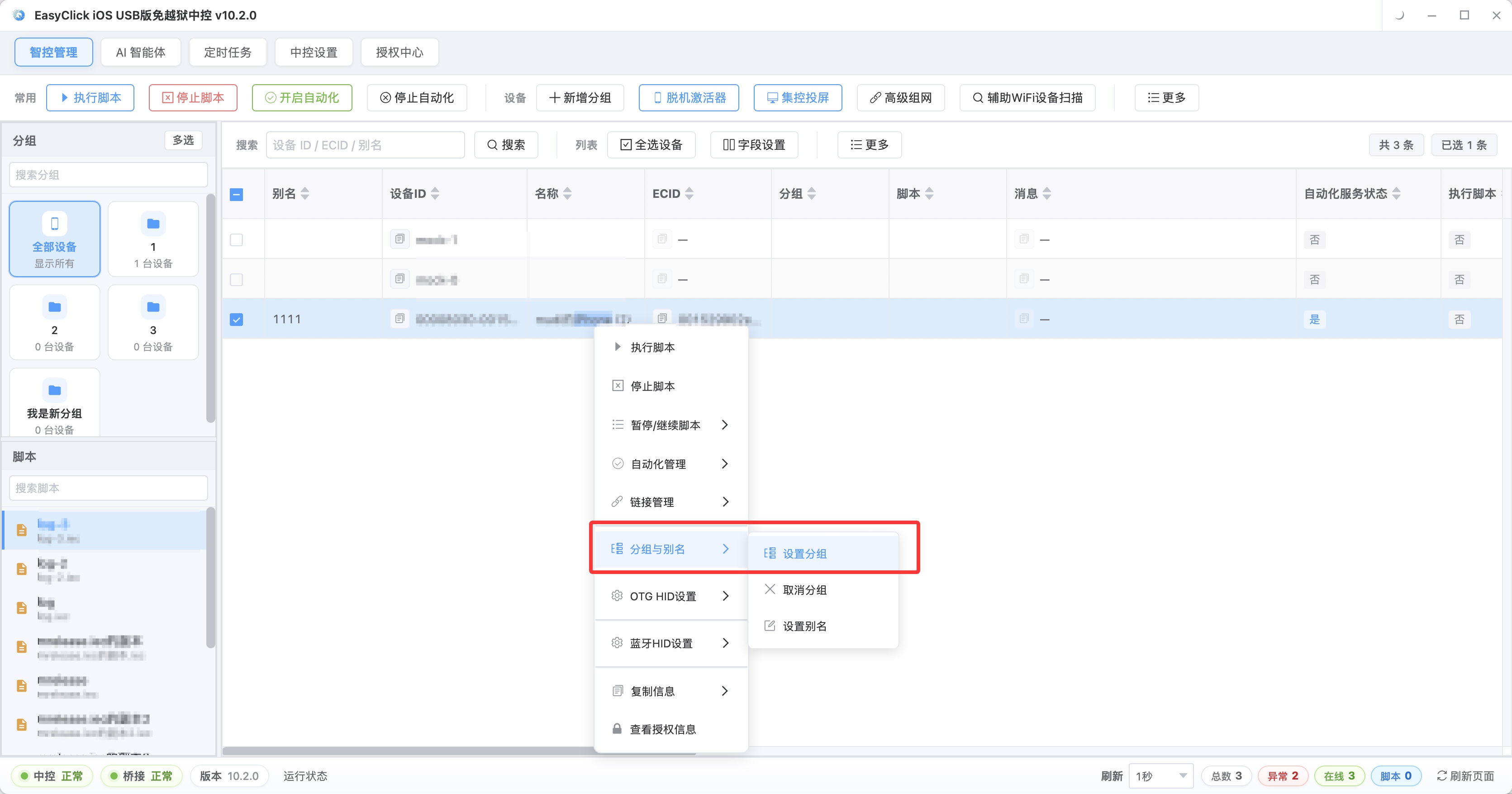
Grouping exists so you can see which device failed. Eighty accounts on one screen hide the failures. Four groups of twenty make the problem group obvious.
Quick Replies are the best-value piece of this setup. On Chen’’s accounts, customers mostly ask four things: how much, how much for shipping, the minimum order, and how soon it ships. Those four questions are more than about sixty percent of all inquiries. Store those four lines as Quick Replies and a reply becomes picking a line and sending it. With multi-device reply, you can fill different content for several devices at once. Different accounts cover different regions, so the shipping wording differs, and you fill it that way.
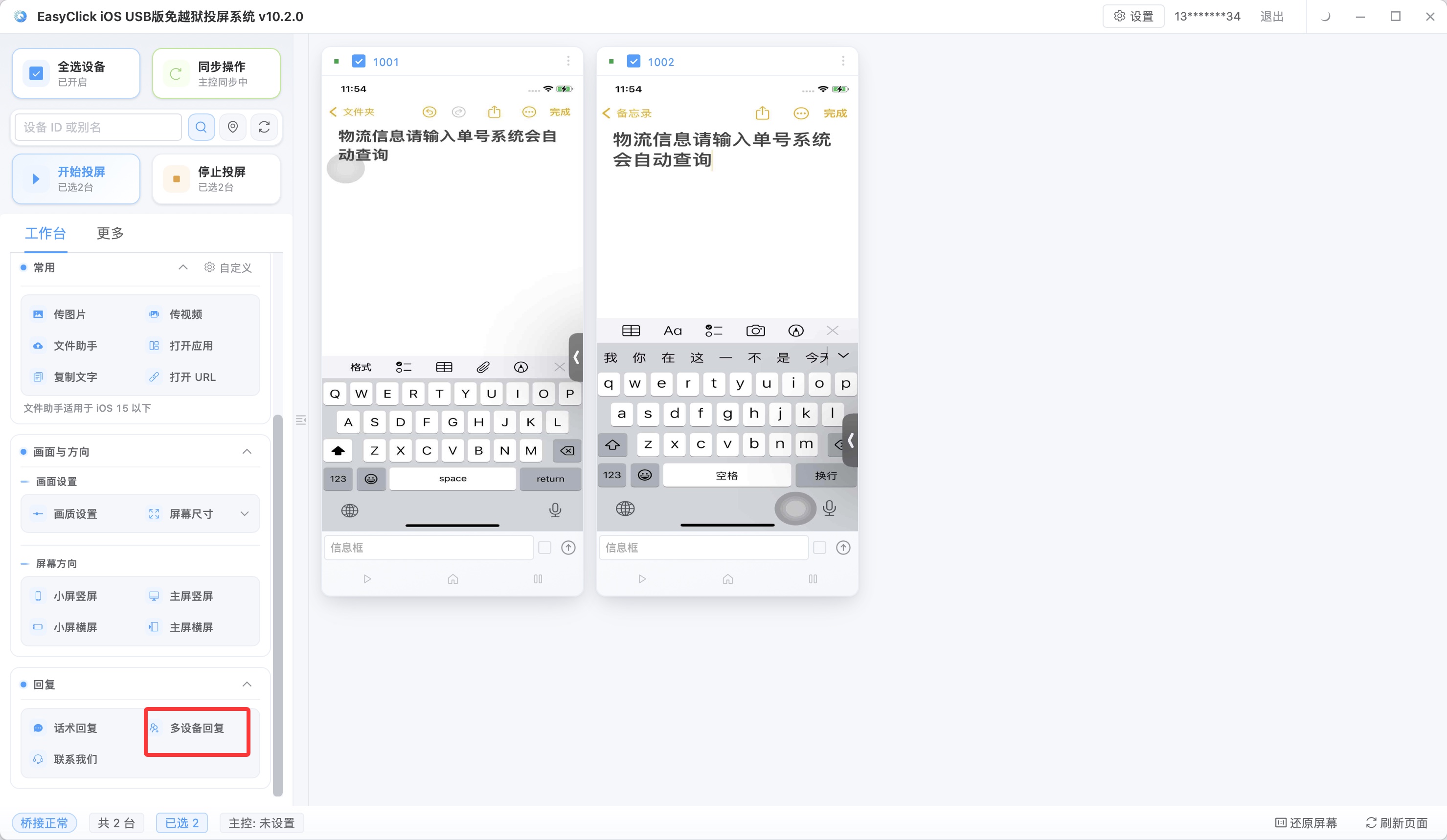
Sequential send and random send are for different jobs. Wording with a sequence, ask the need first and then give a plan, uses sequential send. Different phrasings of the same kind of question, greetings and common Q&A, use random send. Mix them and the reply the customer receives will not follow.
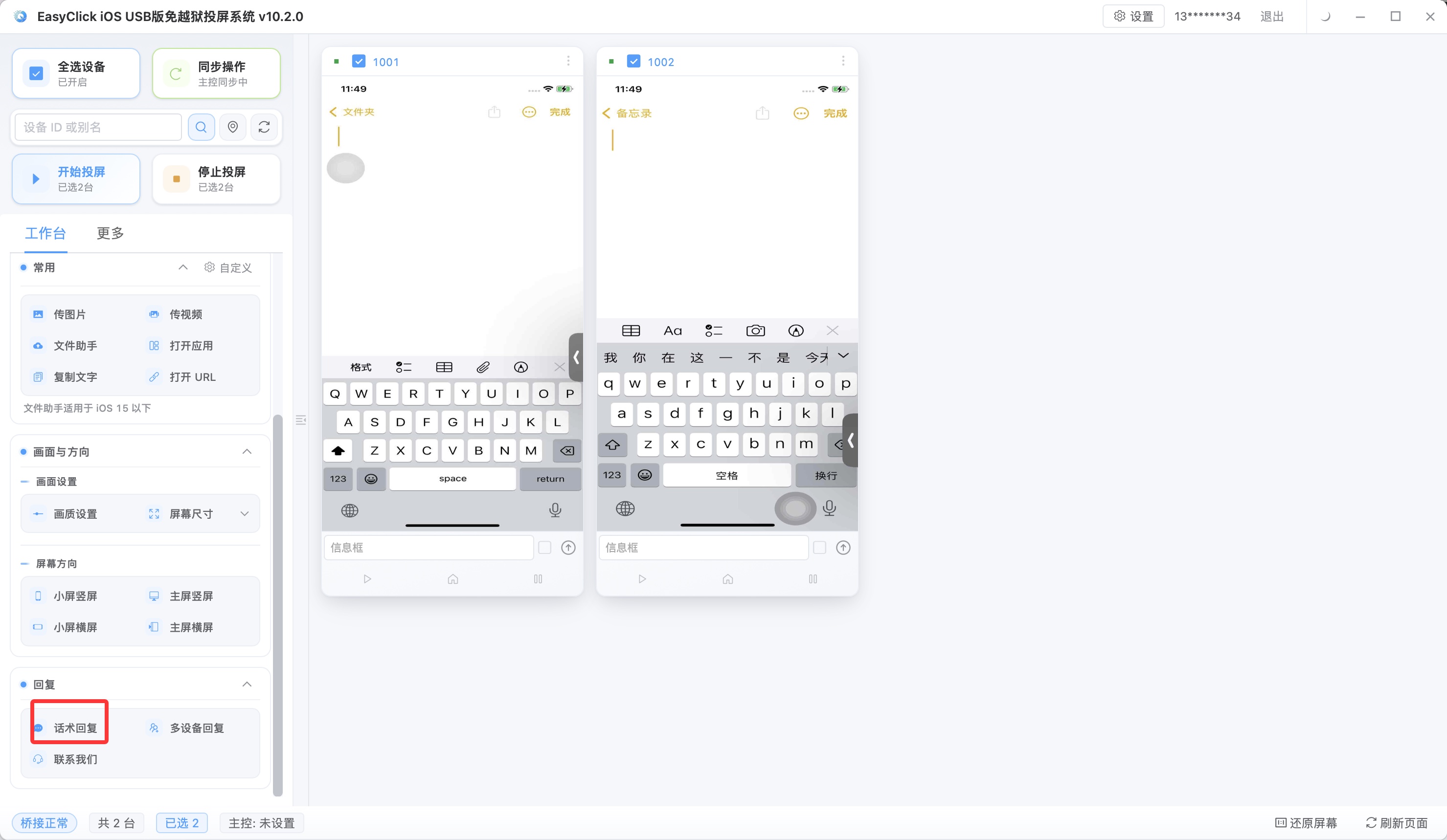
Draw the line first between lines a machine says and lines a person must take. Price, shipping, minimum order, and lead time are steadier from a machine. Customers want accuracy and speed. A person misstates, skips, and contradicts an earlier reply. Bargaining, complaints, returns, and chasing an order have to go to a person. Those need judgement and tone, and a machine that takes them anyway pushes the customer away. Chen’’s support staff sit at the computer, watch the message list, pick a saved line for standard questions, and step in when a conversation needs talking. Time spent on messages drops by more than half across a day, and the wording stays consistent across accounts.
Hand the low-frequency work to iEasyRun
The work above happens every day and the flow is fixed, which is what Apple cluster control is for. Chen later hit another kind: a monthly catalog audit, matching products on eighty accounts against the backend stock sheet, to see what was delisted, what changed price, and what was missing an image. It happens once a month. A script written only for it is a poor trade, because writing the script takes longer than doing the audit by hand. He later handed this kind of work to iEasyRun. iEasyRun does not need a script first. You say what needs doing, and it looks at the screen and operates. One-off work, low-frequency work, and flows that are still changing are a better fit for it than for a script.
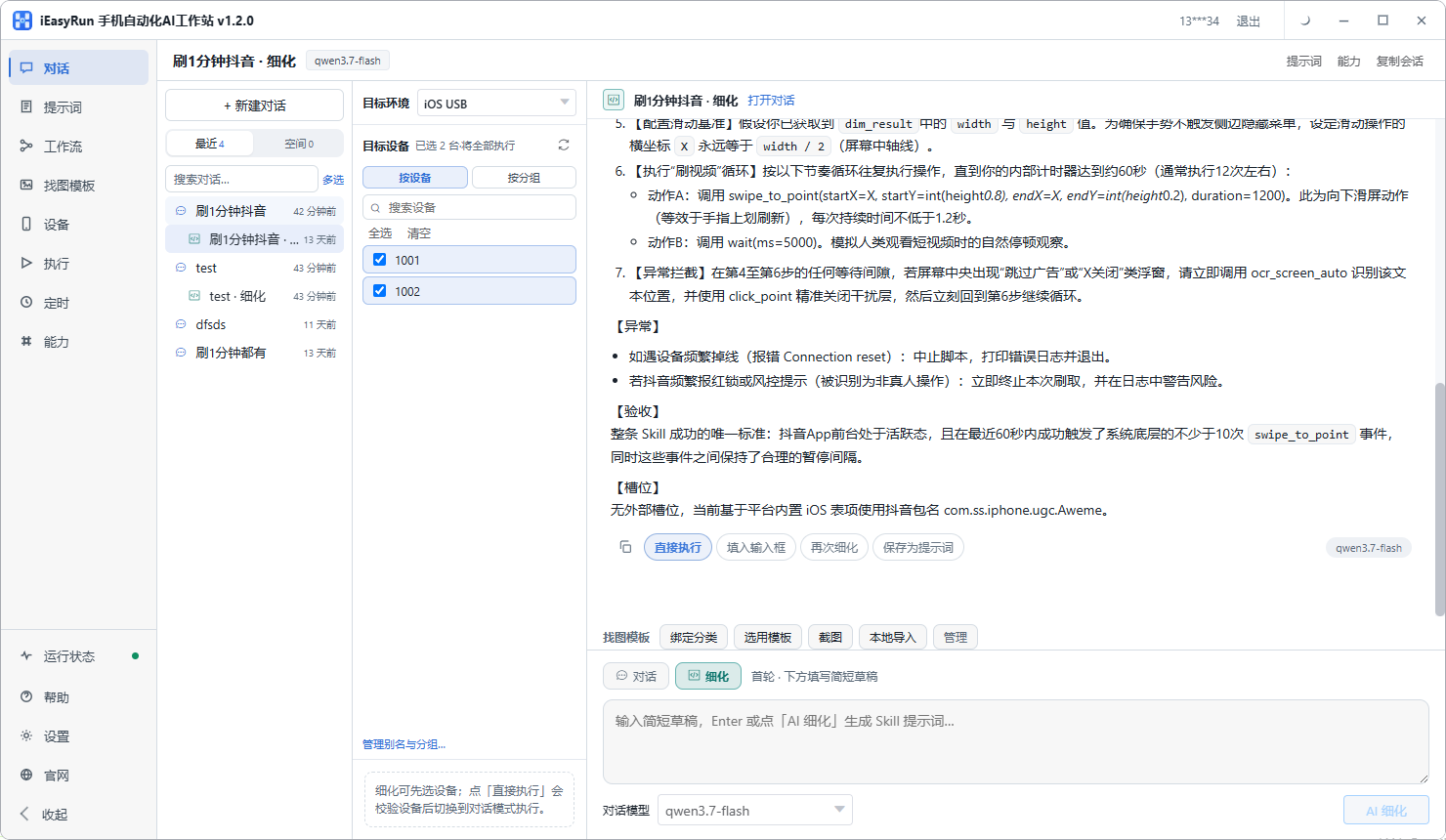
In practice the split is this. Daily catalog sync and Quick Replies go to Apple cluster control: a fixed flow, on a schedule. The monthly audit and ad-hoc price research go to iEasyRun: say it once and it does it. The two do not conflict, and they run on the same phone. Apple cluster control repeats the fixed steps. iEasyRun listens, then does the work on the screen.
A few lines stay closed. Catalog content has to be real: price, stock, and specs are what you write. Bulk maintenance can be fast, and it still cannot be used to fill in false information. Do not use Quick Replies to inflate engagement, and do not use them to thicken message volume. The accounts go with it. Quick Replies are for answering people. Do not switch logins at high frequency in a short window. If eighty accounts hop back and forth on one device, that is an abnormal pattern. Spread them across devices by group, and let each device hold only its own accounts.
Chen’’s new-product path now looks like this: assets prepared the day before, eighty accounts sent overnight in four groups, a pass over the results the next morning, and a rerun of the few devices that failed. The time he gets back goes into rewriting descriptions so they sound like ordinary speech, and he has stopped writing “quality product, quality guaranteed.” Two directions to read next: cross-border private-domain outreach with Apple cluster control covers how WhatsApp is used as a whole, and iOS screen mirroring without jailbreak covers how to put many device screens on one display.
About EasyClick: A mobile automation script development platform covering three phone ecosystems: Android without root, iOS without jailbreak, and HarmonyOS. It also offers Apple script writing, Apple cluster control, Android cluster control, remote cloud control, and AI phone cluster control. → Explore all products
Ready to build it for real?
Every approach in this article can be built on the EasyClick phone automation platform — full documentation, developer tools and cluster/cloud-control products, free to try.